
It used to be enough to drop a logo at the beginning of a video, add a quick transition, and call it branded content.
That no longer cuts it.
Today, intros need to feel polished, original, and fast to produce. That is exactly why AI video tools are getting so much attention right now. They promise motion, editing, sound, narration, and branding in a single workflow.
But as always, not every AI tool delivers in the same way.
In this hands-on comparison, Motionvid.ai is tested against Gemini Omni for one simple but revealing task: creating a branded intro using the same logo and roughly the same creative direction. Along the way, the test also uncovers where Motionvid is genuinely useful, where it still feels unfinished, and when it may still be worth using anyway.
Table of Contents
- What Motionvid.ai is trying to be
- Step 1: Set up the same creative test for both tools
- Step 2: Generate the first intro and compare the outputs
- Where Motionvid still has value
- Step 3: Explore the templates before committing
- Step 4: Test a map-based animation use case
- What the editor experience is like in practice
- Pricing and credit concerns to keep in mind
- Where Motionvid actually works well
- Motionvid.ai pros and cons
- Gemini Omni pros and cons from this comparison
- Final verdict: which one should you use?
- Best use cases for each tool
- FAQ
What Motionvid.ai is trying to be
Motionvid positions itself as an AI motion and video editor. The appeal is obvious: instead of building animations manually from scratch, you type a prompt, upload assets, and let the platform assemble a video for you.
From the main interface, the tool already shows that it is aiming to cover more than one use case. It is not only for intros. It also leans into motion graphics, map-based visuals, social-style templates, and editable scenes.
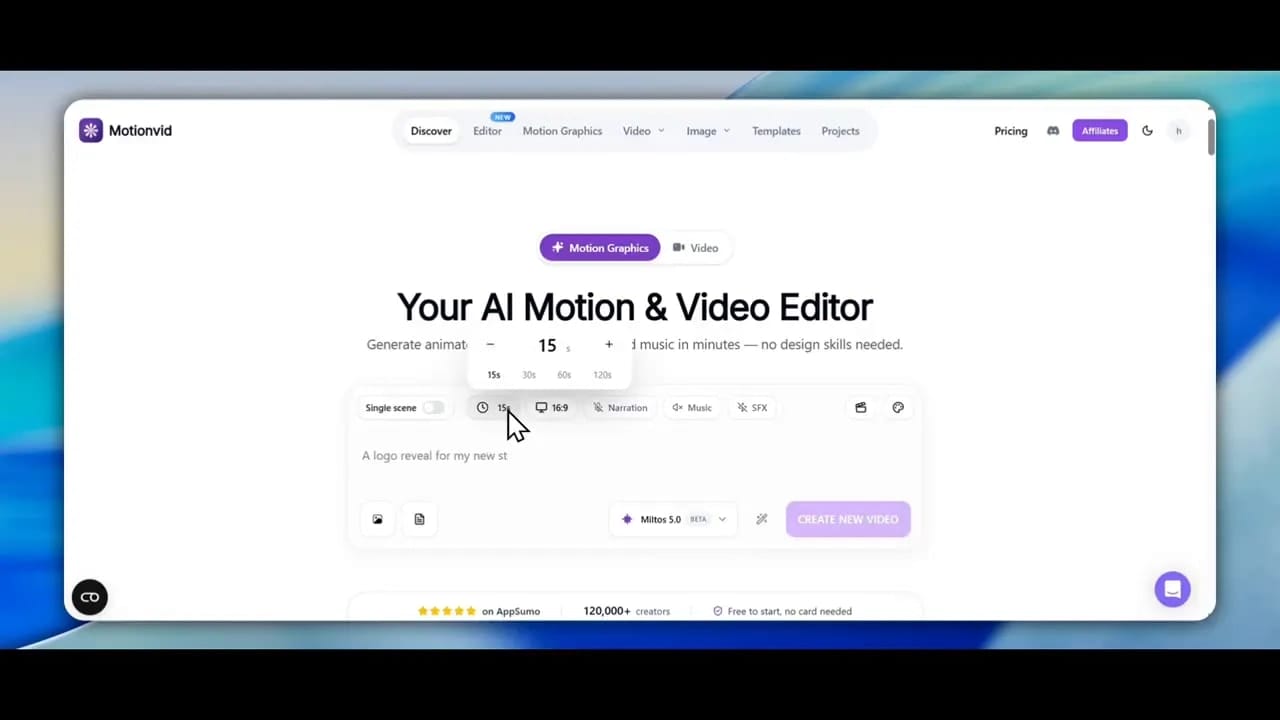
At a glance, the generator includes:
- Single or multiple scene generation
- Video length controls up to 120 seconds
- Orientation settings
- Narration per scene
- Voice selection
- Music and sound effects toggles
One thing missing in this test is voice cloning. That does not appear to be available in the current interface.
Another early consideration is credit usage. If narration, music, and sound effects are all enabled at once, credit consumption can climb quickly. That matters because Motionvid is one of those tools where the workflow may feel inexpensive at first, but experimentation can become costly fast.
Step 1: Set up the same creative test for both tools
To make the comparison fair, the test starts with the same basic goal for each platform: generate a branded intro using an uploaded logo and a prompt prepared beforehand.
The process is straightforward.
How to recreate the same test
- Prepare a logo or brand image.
- Write a prompt for an intro sequence.
- Upload the same logo to Motionvid.
- Use the same logo and direction in Gemini Omni.
- Generate both outputs and compare the results for creativity, accuracy, and branding quality.
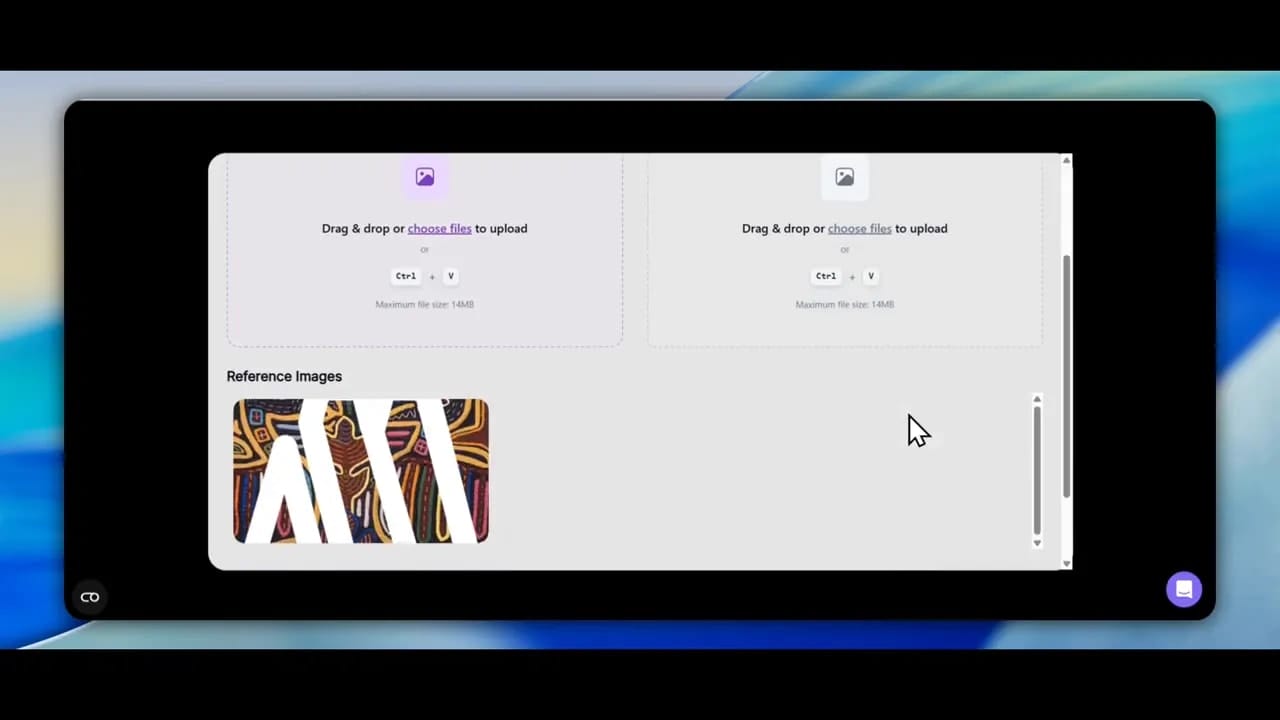
Inside Motionvid, the uploaded logo is treated as a reference image. There is also an option to import images directly into the design, which suggests the platform is trying to support both AI-first and editor-first workflows.
Motionvid also allows model selection. In this test, the platform is shown using its own model, labeled Miltos 5.
Step 2: Generate the first intro and compare the outputs
Once both tools begin processing, the first big takeaway becomes clear: Gemini finishes first and produces the stronger result.
The Gemini output feels more visually distinctive and more successful as an actual intro. It handles the branding with more style and gives the final result a more original look.
Motionvid, by contrast, completes the task but does not interpret the logo as well. In the tested output, the logo ends up looking more like a plain black circular element rather than a refined animated brand reveal.
For this particular round, Gemini wins.
What Gemini does better in this test
- More unique visual treatment
- Stronger creative motion
- Better overall intro feel
- Faster completion in this comparison
What Motionvid struggles with in this test
- Less accurate logo interpretation
- Weaker visual payoff for a branded intro
- Result feels more generic
If the only goal is a standout intro animation with a more imaginative output, Gemini is the better option here.
Where Motionvid still has value
That first result does not mean Motionvid is useless. It simply means it does not win this specific head-to-head task.
Once the generated project is opened in Motionvid’s editor, the platform becomes more interesting. The generated video is not just a flat output. It can be adjusted inside the built-in editing environment.
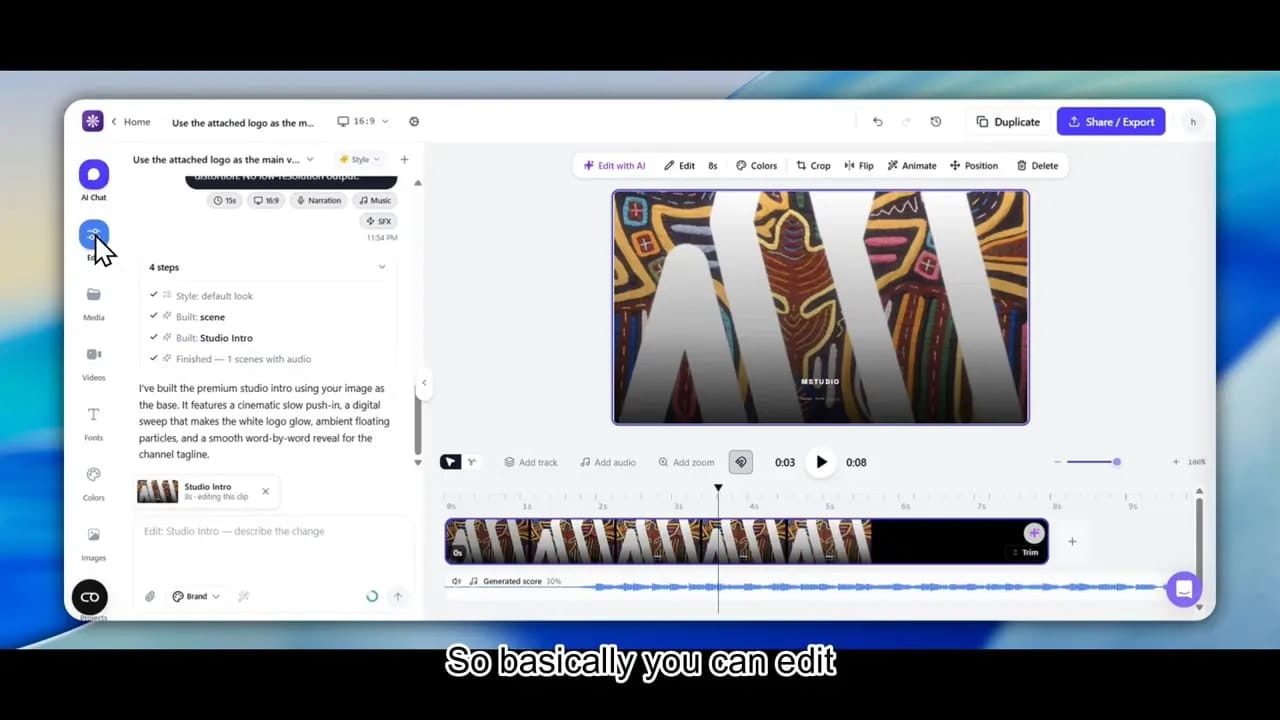
The editor exposes several editable elements, including:
- Text
- Media uploads
- Scenes
- Video layers
- Fonts
- Colors
- Images
- Background removal tools
That matters because even when the first-generation result is not ideal, there is still room to salvage or improve it.
In other words, Motionvid can function less like a perfect one-shot generator and more like a playground for AI-assisted motion graphics.
Step 3: Explore the templates before committing
One of the smarter ways to approach Motionvid is to avoid relying only on raw prompt generation. The template library may be the better starting point, especially if the platform’s AI interpretation still feels inconsistent.
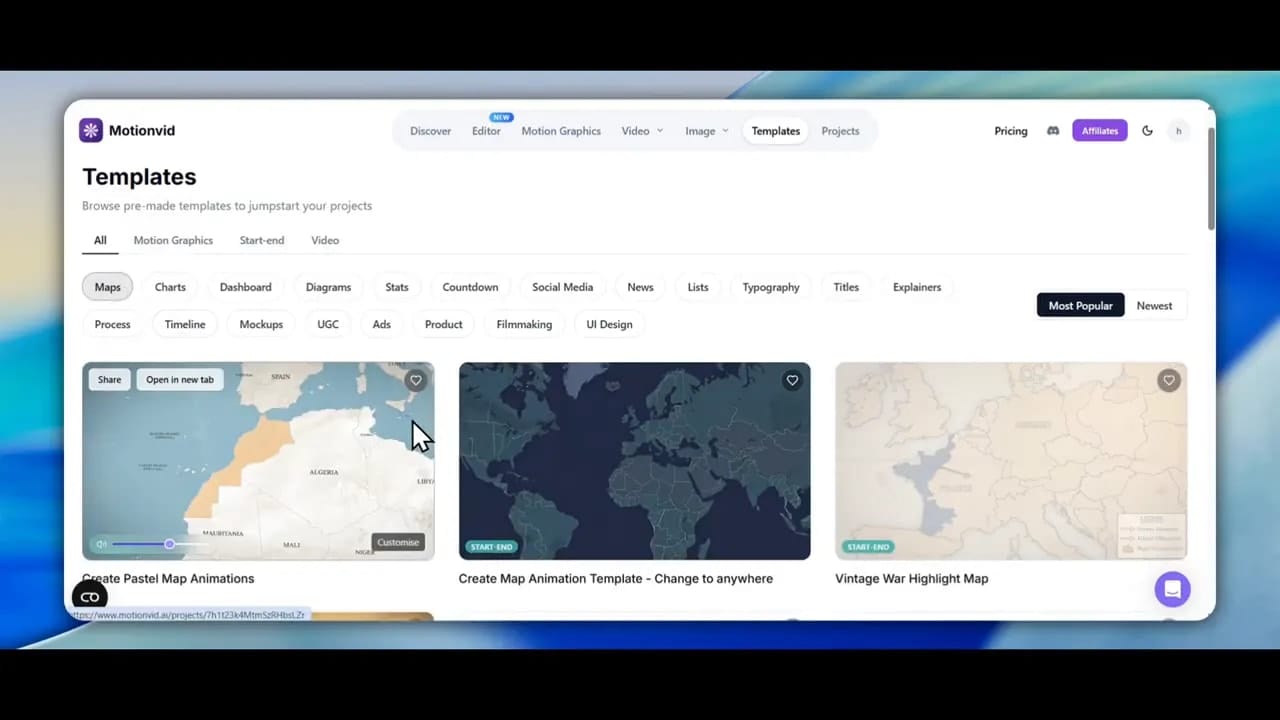
During the test, several template categories appear, including:
- News headline styles
- Announcements
- Countdown layouts
- UGC-style formats
- Timeline visuals
- Map-based animations
If you want to test Motionvid properly, this is a good workflow to follow:
- Open the template gallery.
- Choose a template close to your use case.
- Customize the visuals, text, and assets.
- Generate from that starting point instead of beginning with a blank prompt.
This route reduces guesswork and often gives the AI a clearer structure to work with.
Step 4: Test a map-based animation use case
To push Motionvid beyond a logo intro, the test moves into another use case: animated maps.
This is where Motionvid becomes more intriguing. The platform includes map templates and appears built to support location-based visual storytelling, such as regional highlights, growth areas, and presentation graphics.
The idea tested here is simple: create a map highlighting growth areas in the Philippines.
How the map test is set up
- Choose a map-oriented template.
- Open its customization screen.
- Enter a prompt describing the region and the intended highlight.
- Adjust model settings and credit preferences.
- Generate and review the output.
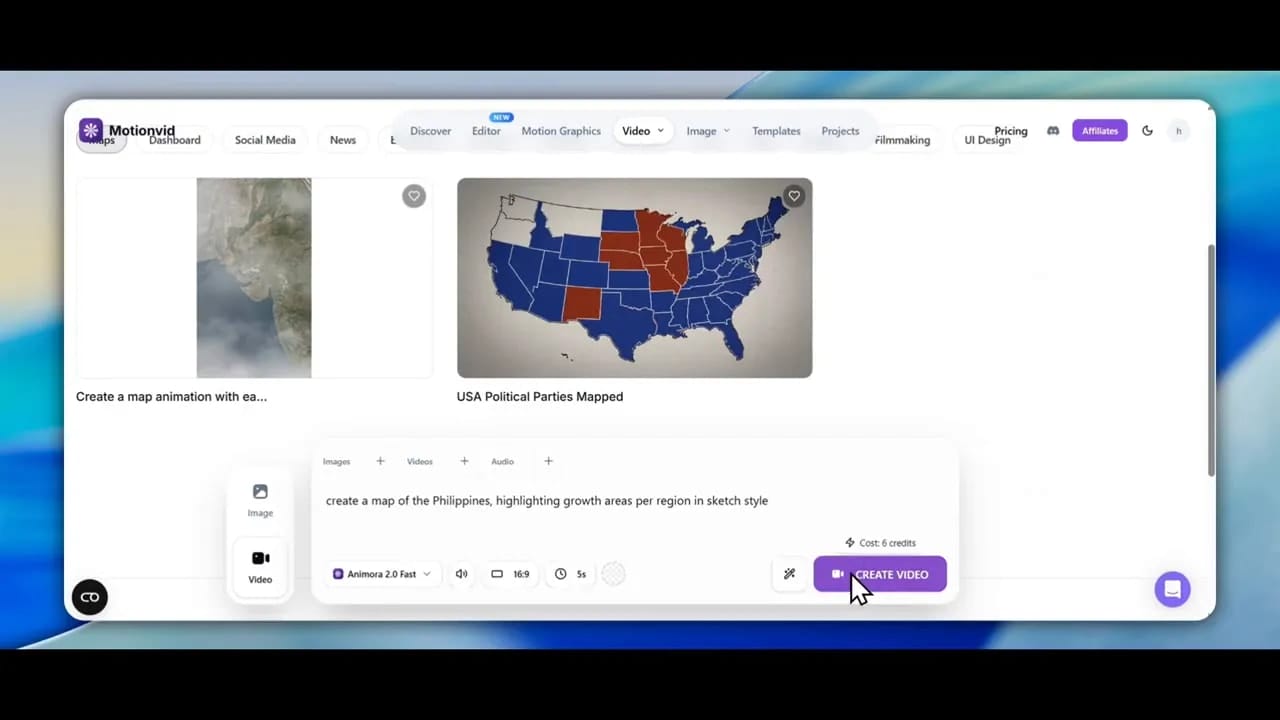
There is also a visible cost system attached to model selection. In the test, one higher-end option costs 8 credits, which reinforces the point that repeated experimentation can add up quickly.
The map test reveals both promise and problems.
The good side of the map workflow
- The templates give a clear visual starting point.
- The use case itself makes sense for business presentations and explainer content.
- The platform is trying to combine motion graphics with editable structure.
The weak side of the map workflow
- The output is not reliably accurate.
- The geographic emphasis can be wrong.
- The result may highlight nearby countries instead of the requested region.
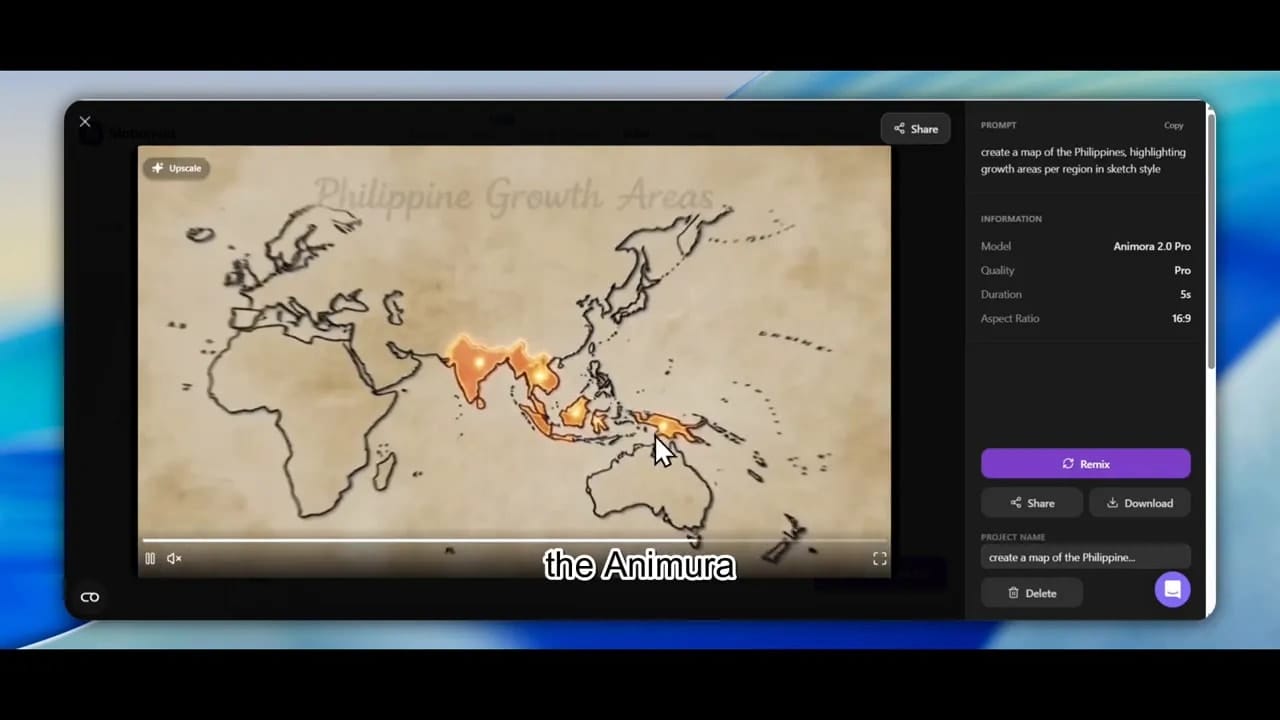
In this case, accuracy becomes the deciding issue. A map animation does not just need to look good. It needs to point to the correct place. The generated result falls short there, which makes the feature feel more experimental than dependable.
What the editor experience is like in practice
Motionvid’s editor shows potential, but it also reveals a work-in-progress feel.
Some features behave as expected, while others feel incomplete or less customizable than they initially appear. For example, a prompt-library-style area can insert an item into the timeline, but does not always expose an obvious way to rewrite or fully customize the underlying prompt once added.
That means the platform can feel helpful one moment and limiting the next.
For users who enjoy experimenting, that may still be acceptable. For users who need predictable production speed, it may become frustrating.
A practical way to use Motionvid today
- Start with a narrow task.
- Use a template instead of a blank project when possible.
- Keep prompts short and specific.
- Monitor credit use before enabling extra audio features.
- Review accuracy carefully, especially for logos, maps, and branded visuals.
- Use the editor to refine rather than expecting a flawless first output.
Pricing and credit concerns to keep in mind
Motionvid is shown running as a lifetime deal on AppSumo. The plans in the test range from a lower export tier up to larger plans with hundreds or thousands of exports.
There is also mention of a 60-day refund window, which lowers the risk if you want to test the platform personally.
Still, pricing is only half the story. Credit consumption matters just as much.
A review highlighted during the test points to one of the biggest concerns: credits can disappear quickly while videos are still being built. That lines up with the hands-on experience shown throughout the session.
Pros of Motionvid pricing model
- Lifetime deal can be attractive for long-term use
- Multiple plan sizes available
- Refund window offers some protection
Cons of Motionvid pricing model
- Credits may be consumed fast
- Audio features can increase usage
- Repeated testing becomes expensive if outputs miss the mark
Where Motionvid actually works well
After the rougher tests, there is an important twist: Motionvid does show a use case where it performs well.
A previously created project demonstrates that for very simple logo intros, the tool can absolutely do the job.
The prompt used is uncomplicated: make a YouTube intro using the attached logo. Sound is added, the branding remains simple, and the result comes together quickly.
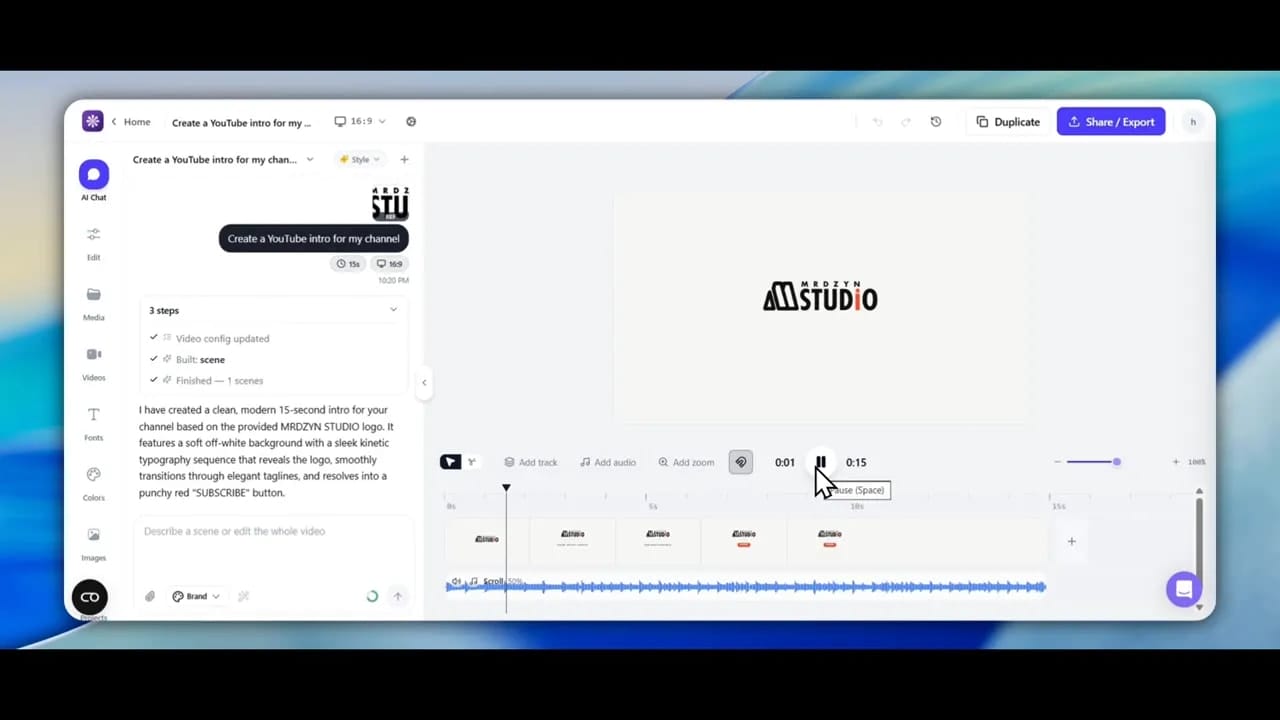
This is where Motionvid makes the most sense right now.
If the goal is not a cinematic, highly original animated sequence, but rather a quick, branded, presentable logo intro, the platform can be effective.
It is especially useful when:
- You want a fast draft
- You have a clean logo asset ready
- You do not need deep creative interpretation
- You are comfortable making edits after generation
Motionvid.ai pros and cons
Pros
- Simple interface for AI-assisted video generation
- Supports scenes, narration, music, and sound effects
- Includes editable outputs rather than only final renders
- Template library is useful for maps, timelines, and announcements
- Can create simple logo intros quickly
- Feels like a good sandbox for experimentation
Cons
- Weaker than Gemini for unique branded intros in this test
- Logo interpretation can be inaccurate
- Some features feel unfinished or limited
- Customization is not always as deep as expected
- Map output can be visually wrong or geographically inaccurate
- Credits can be used up quickly
Gemini Omni pros and cons from this comparison
Pros
- Stronger creative output for intro animation
- More distinctive visual style
- Faster completion in the tested round
- Better overall result for brand-first intro generation
Cons
- Less focused on editable motion-graphics workflow inside a dedicated tool
- May still require cleanup depending on the output
- Can insert odd voice or text elements in some generated examples
Final verdict: which one should you use?
If your main goal is a unique, visually stronger intro animation, Gemini Omni comes out ahead in this comparison.
If your goal is to experiment with AI-generated motion graphics, test templates, build simple branded assets, and edit inside a dedicated environment, Motionvid still has a place.
The most honest conclusion is this:
Motionvid does not win as the best option for this specific intro challenge, but it does show enough potential to be worth exploring for simpler intros and structured motion-graphic tasks.
It feels less like a finished master tool and more like a promising creative workspace that is still growing.
For some users, that will be enough. For others, especially those prioritizing originality and stronger first-pass quality, Gemini is the safer bet.
Best use cases for each tool
- Choose Gemini Omni if you want more original AI video intros and stronger creative motion from the start.
- Choose Motionvid if you want editable AI-assisted motion graphics, simple logo intros, and template-based experimentation.
FAQ
Is Motionvid.ai good for logo intros?
Yes, for simple logo intros it can work well. The strongest results in this test came from straightforward prompts with a clean uploaded logo and minimal complexity.
Did Motionvid.ai beat Gemini Omni in this comparison?
No. For the main branded intro test, Gemini produced the stronger and more unique result.
What is Motionvid.ai best used for right now?
It appears best suited for simple intros, template-based motion graphics, quick experiments, and editable AI video drafts rather than highly polished one-shot brand animation.
Does Motionvid.ai include editing after generation?
Yes. The editor includes controls for text, media, fonts, colors, scenes, and other elements, which makes it more flexible than a tool that only exports a final clip.
Are Motionvid.ai’s map animations reliable?
Not consistently. The map templates are promising, but the tested output was not geographically accurate, so results should be reviewed carefully before real use.
Is Motionvid.ai expensive to test?
It can be if you experiment heavily. Credit use is a real concern, especially when enabling narration, music, sound effects, or trying multiple generations to get a better result.
For more context on AI-assisted creative workflows, it may also help to explore tools like Canva for manual motion design and Google Gemini for broader generative experimentation.
